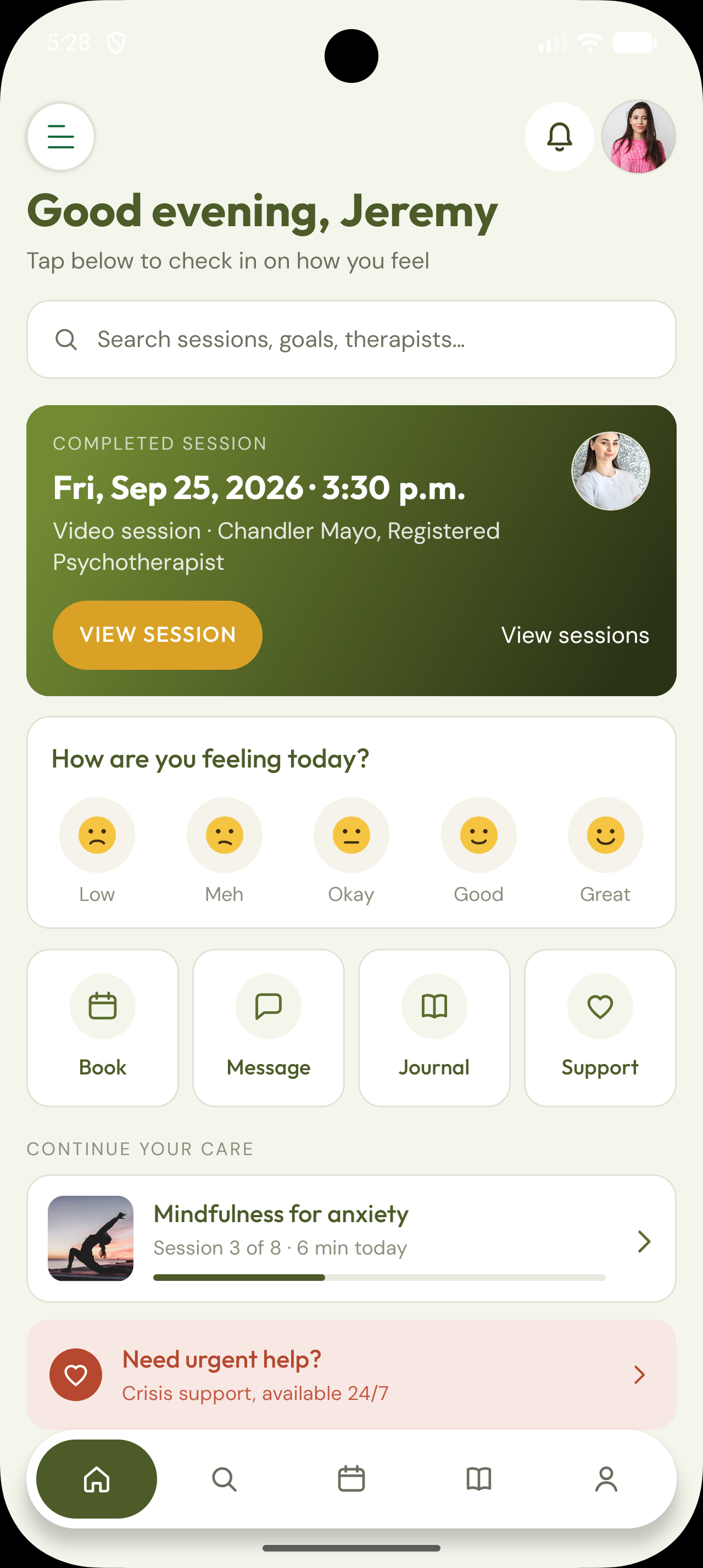
Tap the menu
Open the menu
On the home screen, tap the hamburger menu (☰) in the top-left to open the side navigation.

Follow these steps in the Revive Mind app to request account deletion. Clinical records may be retained under PHIPA until the configured hold ends.
Follow the red arrows on each screenshot. Deletion anonymizes your login and personal identifiers; clinical documentation may be held under PHIPA until the retention window clears.
Tap the menu
On the home screen, tap the hamburger menu (☰) in the top-left to open the side navigation.
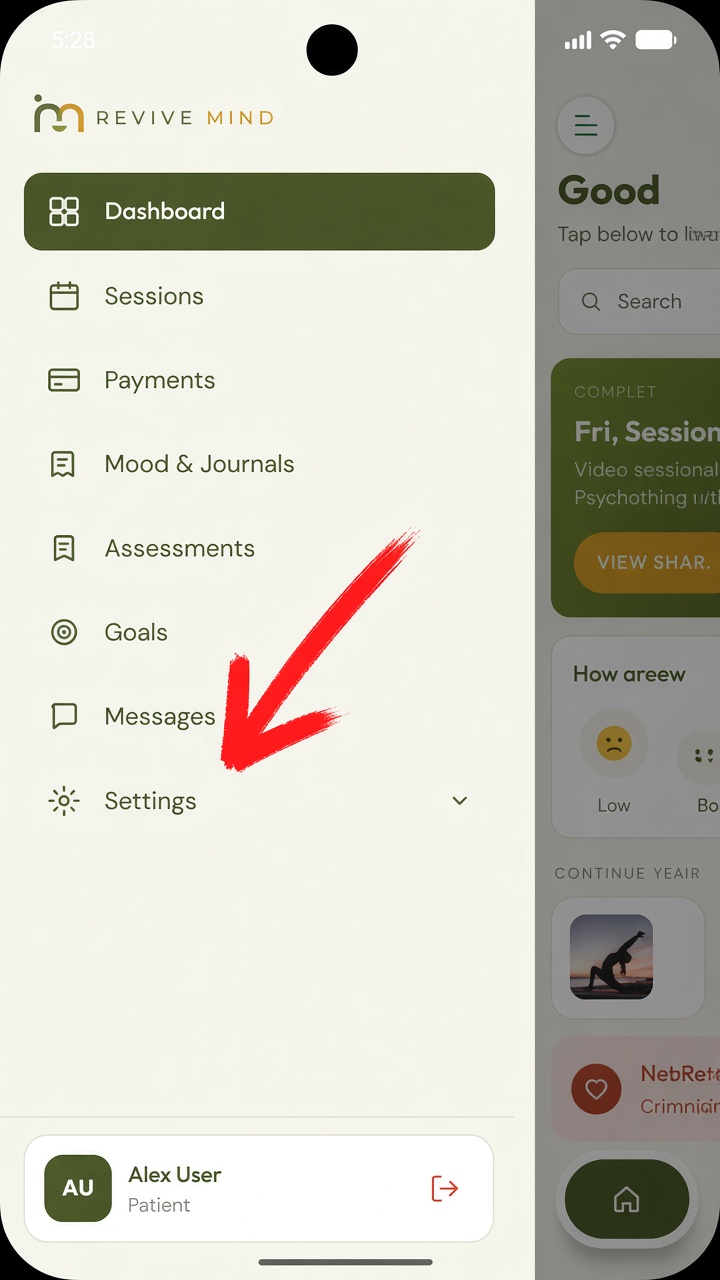
Tap Settings
In the side menu, tap Settings to expand account options.
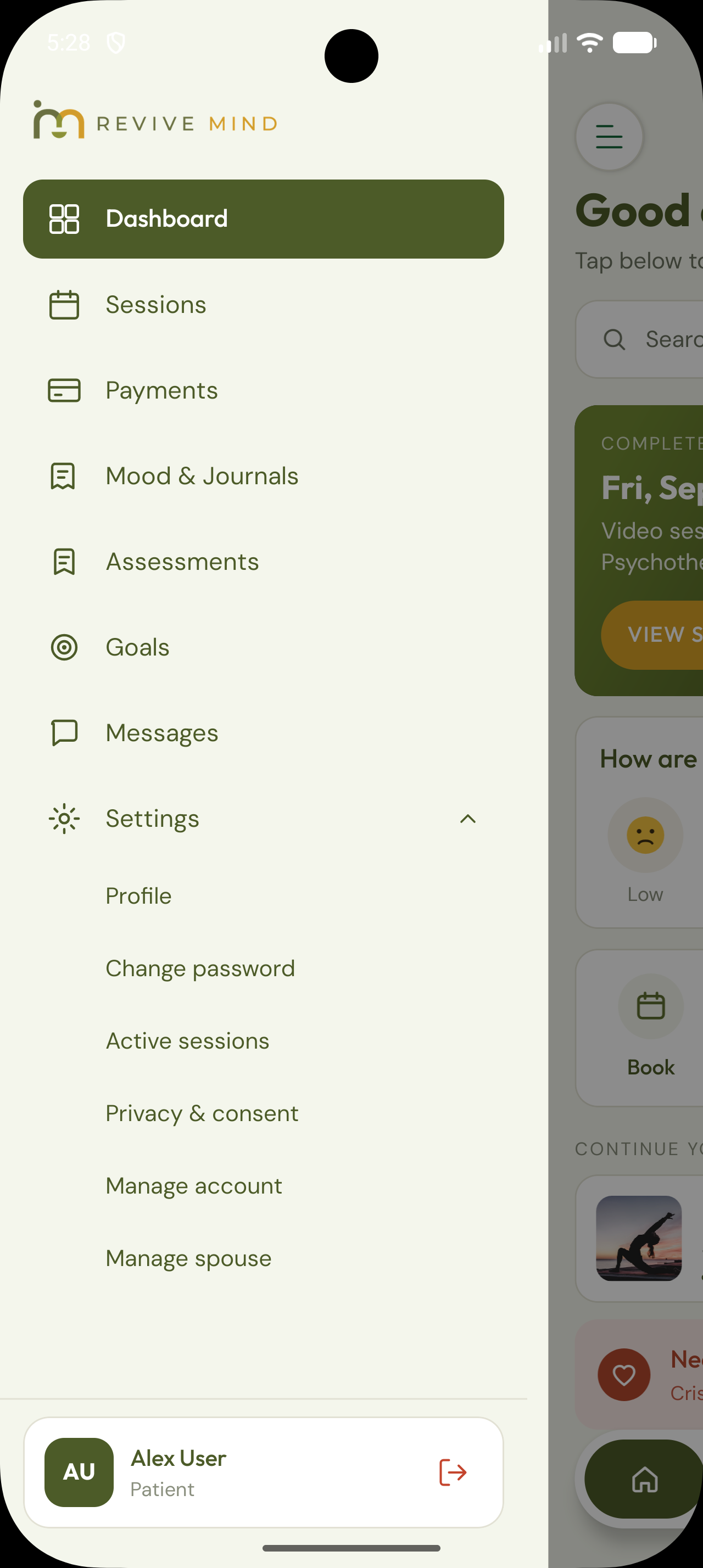
Tap Manage account
Under Settings, tap Manage account to open data access, correction, and deletion options.
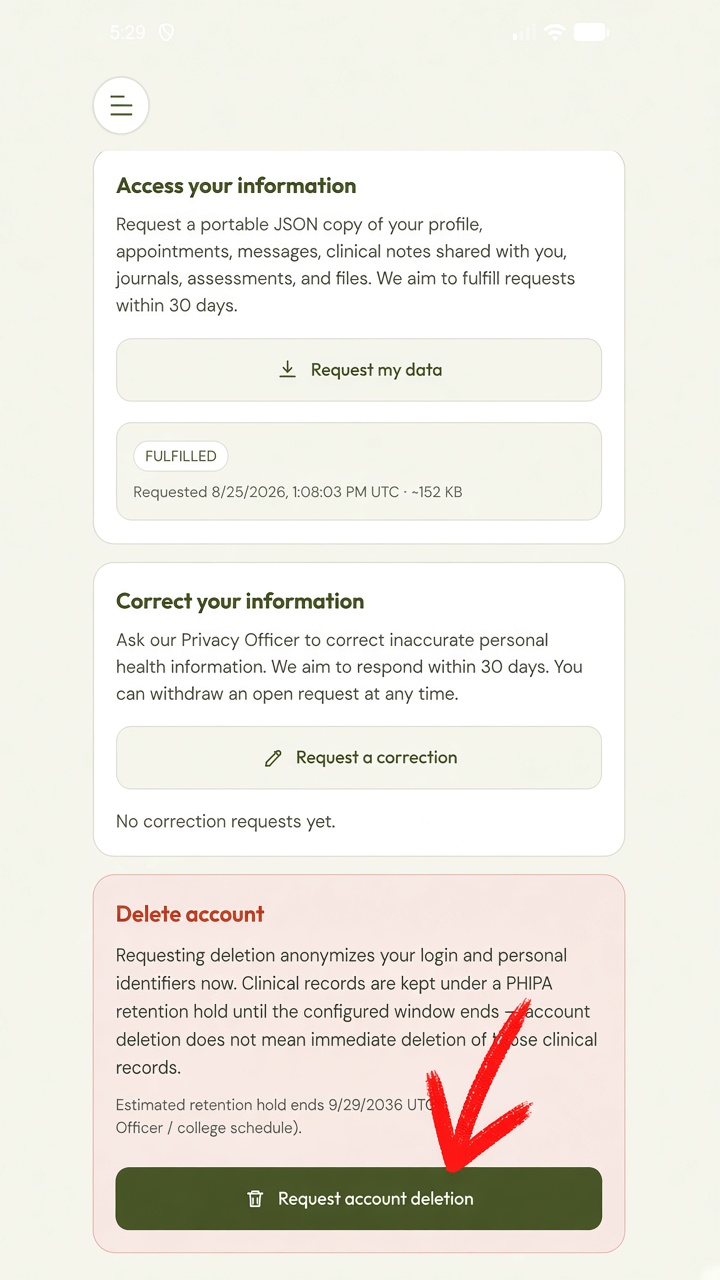
Tap Request account deletion
Scroll to the Delete account section and tap Request account deletion.
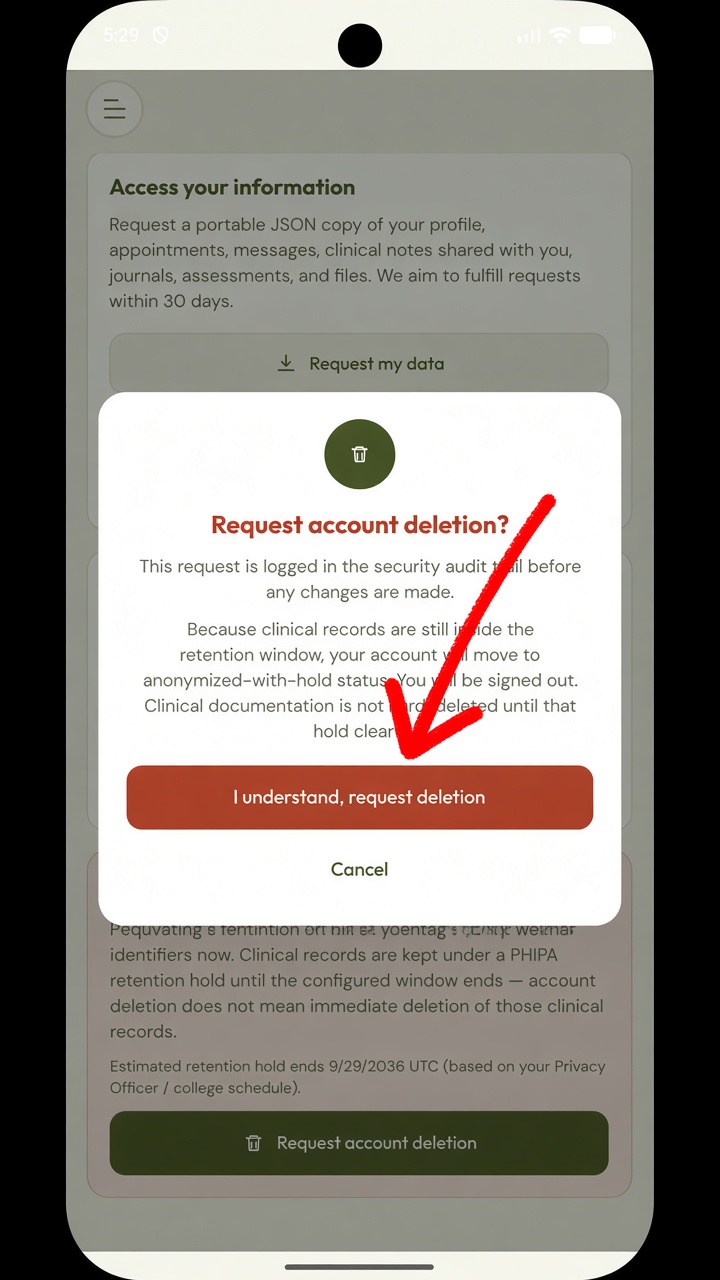
Confirm deletion
Read the retention notice, then tap I understand, request deletion. You will be signed out. Clinical records may remain under a PHIPA retention hold until that window ends.
Join thousands of Canadians getting the support they deserve, from the comfort of home.